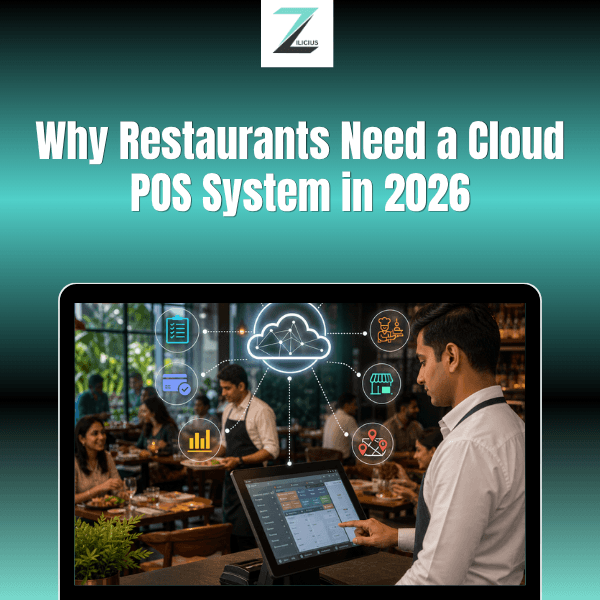

Cloud POS systems are becoming an important part of restaurant operations in India. In 2026, restaurants, cafes, bars and cloud kitchens are increasingly looking for technology that can connect billing, orders, inventory, customer management and reporting in one system.
A traditional billing setup may work for a small operation, but managing multiple outlets, online orders, inventory and real-time reporting becomes increasingly difficult as a restaurant grows.
This guide explains the key benefits of a cloud POS system for restaurants, the features to look for in restaurant POS software, and how a platform like Zilicius can support modern F&B operations.
What Are the Top Cloud POS Trends for Restaurants in 2026?
The major trends shaping restaurant POS technology in 2026 include cloud-based billing, real-time reporting, integrated inventory management, online order integration, Kitchen Display Systems, customer loyalty tools, multi-outlet management and mobile access.
For growing restaurants, the focus is moving from simple billing to connected restaurant management, where sales, inventory, orders, staff and customer data can work together.
Why Restaurant Technology Matters in 2026
Restaurants in India are managing increasingly complex operations. Rising operating costs, changing customer expectations, online ordering and multi-outlet expansion all make efficient technology more important.
Some of the key challenges include:
Rising rent, ingredient and staff costs
Growing demand for fast and accurate billing
Online orders from delivery platforms
Increasing need for inventory control
Multi-outlet expansion
Demand for digital payments and receipts
Need for real-time sales and operational reports
A traditional billing system may handle basic transactions, but it may not provide the visibility needed to manage a growing restaurant.
This is where restaurant management software and cloud POS technology can help connect everyday operations in one system.
What Is a Cloud POS System?
A cloud POS system is point-of-sale software that stores business data on remote infrastructure and allows authorized users to access information through an internet-connected device.
Instead of keeping all operational information on a single computer at the restaurant, a cloud-based system can connect billing, orders, inventory, reports and other restaurant functions.
Traditional POS setups may have limitations such as:
Data access being restricted to a particular location
Limited remote reporting
Manual software updates
Difficulties managing multiple outlets
Separate systems for different business functions
With a modern cloud based POS, restaurant owners and managers can access relevant business information remotely, depending on the system's configuration and connectivity.
Why Restaurants Are Adopting Cloud POS Systems in 2026
Several factors are increasing the demand for cloud-based restaurant technology.
1. Online Order Integration
Restaurants increasingly receive orders through multiple channels. Manually entering online orders into a separate billing system can create additional work and increase the possibility of order-entry mistakes.
A connected restaurant POS system can integrate supported ordering channels and send order information into the appropriate workflow, helping staff manage orders more efficiently.
For cloud kitchens in particular, integrated cloud kitchen software can connect online orders with billing and kitchen workflows.
2. Digital and GST-Ready Billing
Modern restaurant billing software can help businesses generate digital invoices and configure tax-related information where applicable.
Automated billing can also reduce manual calculations and make it easier to maintain consistent transaction records.
Restaurants should always configure their billing system according to their applicable tax and business requirements.
3. Multi-Outlet Restaurant Management
As restaurants expand from one outlet to multiple locations, managing each branch separately can make reporting and inventory control more difficult.
A restaurant management system with centralized reporting can help owners compare branch performance, monitor sales and manage operations across locations.
4. Better Customer Experience
Customers increasingly expect quick billing, accurate orders, digital payment options and convenient receipts.
A streamlined POS workflow can reduce unnecessary delays at checkout and help restaurant staff provide a smoother customer experience.
5. Easier Staff Onboarding
Restaurant teams can change frequently, making simple and intuitive software important.
A well-designed restaurant POS software interface can help new employees learn common billing and order-entry workflows more quickly, although training requirements vary depending on the system and restaurant setup.
Key Benefits of Cloud POS for Restaurants
1. Real-Time Visibility From Anywhere
Whether you manage one cafe or multiple restaurant outlets, a cloud dashboard can provide access to sales, orders, inventory and performance information without requiring you to be physically present at every location.
This gives owners and managers better visibility into daily operations.
2. Centralized Restaurant Inventory Management
Inventory is one of the most important areas of restaurant profitability.
A restaurant inventory management system can track stock consumption, purchases, wastage and low-stock items while connecting inventory data with sales.
Useful inventory capabilities can include:
Recipe-linked ingredient deduction
Purchase and vendor management
Wastage tracking
Stock-level alerts
Outlet-wise inventory visibility
Food cost monitoring
For example, when a dish is billed, a recipe-linked system can deduct the configured ingredient quantities from inventory.
3. Faster and More Accurate Billing
Good restaurant billing software can simplify billing workflows and support features such as:
Split bills
Table transfers
Multiple payment modes
Digital receipts
Discounts and offers
Order modifications
During busy periods, a streamlined billing process can help restaurant staff manage customer transactions more efficiently.
4. Customer CRM and Loyalty
A restaurant CRM can help businesses understand customer activity, including visit frequency and spending patterns.
Depending on the system, restaurants can use this information for:
Loyalty programs
Customer rewards
Repeat-visit campaigns
Personalized offers
Customer segmentation
This can help restaurants build stronger relationships with returning customers.
5. Multi-Format Restaurant Support
Different F&B businesses have different operational requirements.
A cafe may prioritize fast counter billing and menu modifiers.
A fine-dining restaurant may need table management, KOT workflows and detailed billing controls.
A QSR may prioritize fast order processing.
A bar may need liquor inventory controls, such as quantity or peg-level tracking, depending on its operational requirements.
A cloud kitchen may focus more heavily on online orders and kitchen workflows.
The right restaurant POS system should be configurable enough to support the business format instead of forcing every restaurant into the same workflow.
6. Lower Infrastructure Requirements
Cloud-based systems can reduce the need for businesses to maintain their own local servers and manually manage software updates.
However, the total cost of a POS system depends on the software subscription, hardware, implementation, support and additional modules.
When comparing point of sale system prices, restaurants should evaluate the complete cost rather than looking only at the initial software price.
Key Features of a Cloud POS System for Restaurants
When choosing POS software for restaurants, look beyond basic billing.
Important features can include:
POS billing
KOT management
Kitchen Display System (KDS)
Restaurant inventory management
Recipe management
Purchase management
Customer CRM
Loyalty management
Online ordering integration
Payment integration
Staff management
Multi-outlet management
Sales and performance reports
Offline billing capability
Centralized dashboards
The right combination depends on the size, format and operational requirements of the restaurant.
Cloud POS vs Traditional Restaurant Billing Software
Factor | Traditional / On-Premise Billing | Cloud-Based POS |
Data access | Usually limited to the local system | Can be accessed remotely, depending on setup |
Multi-outlet management | Often requires separate systems | Centralized management is possible |
Inventory tracking | May require manual processes | Can be connected with billing |
Online order integration | May require manual entry | Supported integrations can automate workflows |
Reporting | Often requires manual compilation | Real-time dashboards may be available |
Software updates | May require manual installation | Updates can be managed centrally |
Scalability | Can become difficult as operations grow | Designed to support expansion |
Staff management | Often separate | Can be integrated |
Customer management | Limited in basic systems | CRM and loyalty features may be available |
How to Choose the Best Restaurant POS Software
Not every POS platform offers the same capabilities. Before selecting a restaurant POS system, consider the following:
1. Does It Support Your Restaurant Format?
Make sure the platform works for your specific operation, whether it's a:
Restaurant
Cafe
Bar
QSR
Fine-dining outlet
Cloud kitchen
Multi-outlet F&B business
2. Does It Offer Offline Billing?
Internet connectivity can occasionally be disrupted. If uninterrupted billing is important to your operation, check whether the POS provides an offline mode and how data synchronization works after connectivity returns.
3. Does It Include Kitchen Management?
A Kitchen Display System can help kitchens manage incoming orders digitally and reduce dependence on paper KOTs.
4. Does It Connect Billing With Inventory?
Look for recipe management and automated ingredient deduction if detailed food-cost and inventory tracking are important to your business.
5. Can It Scale Across Multiple Outlets?
If you plan to expand, choose a platform that can support centralized reporting and branch-level operations.
6. Does It Integrate With Your Existing Tools?
Check compatibility with the tools your restaurant already uses, including supported payment platforms, delivery services, accounting systems and communication tools.
7. Is Pricing Transparent?
When evaluating restaurant POS software, compare subscription costs, hardware, implementation, support and optional modules.
Cafes, Bars and Cloud Kitchens Have Different POS Needs
Restaurant technology is not one-size-fits-all.
Cafes
Cafes generally need fast counter billing, menu modifiers, digital payments and customer loyalty features.
Bars
Bars may require specialized inventory controls for beverages, including quantity or peg-level tracking, along with pricing rules for promotions or happy hours.
Cloud Kitchens
Cloud kitchens rely heavily on online orders and kitchen efficiency. Their cloud kitchen software should support the restaurant's ordering, billing, inventory and kitchen workflows.
QSRs
Quick-service restaurants need fast order processing, efficient KOT management and workflows designed for high order volumes.
A flexible restaurant management platform should allow businesses to configure workflows according to their format.
How Zilicius Fits Into This Shift
Zilicius is designed for Indian restaurants, cafes, bars and cloud kitchens, bringing key restaurant operations into one connected platform.
Key capabilities include:
Cloud-based management: Access sales, inventory and operational reports remotely, depending on connectivity and system configuration.
Swiggy and Zomato integration: Supported online orders can flow into restaurant workflows, reducing manual order entry.
GST-ready restaurant billing: Configure billing and tax information according to applicable requirements.
Recipe-linked inventory: Configured ingredient quantities can be deducted based on billed items.
Multi-outlet dashboard: Manage multiple branches with centralized and outlet-level reporting.
Restaurant format flexibility: Support workflows for cafes, restaurants, QSRs, bars and cloud kitchens.
Restaurant CRM: Manage customer information and loyalty activities within the platform.
Subscription-based pricing: Choose a plan based on your restaurant's requirements and operational scale.
For restaurants moving beyond basic billing, Zilicius provides a connected approach to billing, inventory, orders, kitchen operations, customer management and reporting.
How to Move From Traditional Billing to Cloud POS
Switching POS systems doesn't have to disrupt restaurant operations when the transition is planned properly.
A typical implementation can include:
1. Menu and Recipe Setup
Add menu items, prices, modifiers and recipe-linked ingredients.
2. Staff Onboarding
Train cashiers, captains, managers and kitchen staff on the relevant workflows.
3. Data and System Configuration
Set up outlets, taxes, payment modes, inventory and integrations according to business requirements.
4. Testing
Test billing, KOTs, inventory deduction, reports and integrations before the system goes live.
5. Go-Live
Move the restaurant's daily operations to the new POS system.
6. Ongoing Optimization
Use reports and operational data to identify areas for improvement in inventory, sales, staffing and purchasing.
The exact implementation timeline depends on the restaurant's size, number of outlets, integrations and data requirements.
Common Mistakes Restaurants Make When Choosing a POS
Choosing Only Based on Price
The cheapest POS isn't always the best fit. Compare features, support, integrations and total cost before making a decision.
Ignoring Offline Capability
If internet outages can affect your operations, check whether the system supports offline billing.
Choosing Generic Retail Software
Restaurants have specific requirements such as KOTs, recipe-linked inventory, table management and kitchen workflows. A generic retail billing system may not provide these capabilities.
Underestimating Staff Training
Even an intuitive restaurant management app requires proper onboarding. Make sure staff understand the workflows before going live.
Not Planning for Expansion
If you expect to add outlets in the future, consider multi-outlet capabilities from the beginning.
Ignoring Data Export
Before choosing a provider, check whether you can access and export your business data when required.
The Real Cost of Staying With Manual or Basic Billing
The cost of outdated processes isn't always visible on the balance sheet.
Manual or disconnected systems can contribute to:
Unrecorded inventory wastage
Billing errors
Missed add-ons
Slow checkout processes
Limited outlet-level visibility
Difficulty tracking repeat customers
Manual reporting work
These inefficiencies can accumulate over time.
A connected restaurant management system can give owners better visibility into sales, inventory, customer activity and operational performance.
Is Cloud POS Worth It for a Small Restaurant?
A cloud POS system can be useful for small restaurants that need faster billing, inventory tracking, digital payments, customer management or reporting.
However, businesses with very basic billing requirements may need fewer features than a growing restaurant with multiple employees or outlets.
The right solution depends on your restaurant's size, workflow, budget and future growth plans.
Frequently Asked Questions
What Is the Difference Between a Cloud POS and a Traditional POS System?
A cloud POS stores business data on remote infrastructure and can provide remote access to authorized users, while a traditional POS may keep much of its data and functionality on a local system.
Is a Cloud-Based Restaurant POS Reliable During Internet Outages?
A POS with offline billing functionality can continue supporting certain billing operations during connectivity interruptions and synchronize data when the connection is restored. Availability and functionality depend on the specific system.
What Is the Best POS System for a Small Restaurant in India?
The right POS depends on the restaurant's requirements. Important features to evaluate include billing, inventory management, KDS, online order integration, reporting, offline functionality and multi-outlet support.
How Much Does Restaurant POS Software Cost in India?
Restaurant POS pricing varies based on software features, number of outlets, hardware, implementation, support and subscription plans. Compare the total cost rather than only the base software price.
Can One POS System Manage Multiple Restaurant Outlets?
Yes. Many modern restaurant management platforms support multiple outlets through centralized dashboards and branch-level reporting. The exact capabilities depend on the platform.
Do Bars Need a Different POS System Than Restaurants?
Bars can benefit from specialized features such as beverage inventory tracking, quantity or peg-level controls and promotional pricing. The required features depend on the bar's operational model.
What Is Cloud Kitchen Software?
Cloud kitchen software is technology designed to manage delivery-focused food operations, including orders, billing, inventory and kitchen workflows. Integrations with supported delivery platforms can further streamline order management.
How Does Restaurant POS Software Help With Inventory?
Restaurant POS software can connect sales with inventory processes. With recipe-linked inventory, billed items can trigger configured ingredient deductions, helping restaurants monitor stock consumption and food costs.
Why Cloud POS Matters for Restaurants in 2026
Cloud POS technology is becoming more relevant as restaurants look for better ways to manage billing, inventory, online orders, customers and multiple outlets.
For a small restaurant, the goal may simply be faster billing and better stock visibility. For a growing F&B business, the requirement may extend to centralized management, kitchen operations, CRM, reporting and integrations.
The right restaurant POS system should therefore be selected based on the restaurant's current requirements as well as its future growth plans.
Zilicius brings restaurant billing, order management, inventory, KDS, CRM, reporting and multi-outlet capabilities together to help Indian F&B businesses manage their operations from a connected platform.
Ready to explore Zilicius?
Book a free Zilicius demo to see how a cloud-based restaurant POS system can fit your restaurant's billing, inventory and operational workflows.
Disclaimer:
This article is intended for informational purposes only and does not constitute legal, tax, financial or regulatory advice. Businesses should evaluate applicable requirements for their specific operations and consult qualified professionals where necessary.
Also Read
How POS Systems Are Transforming Restaurants in India