
Zilicius By Mega Tech Bot Pvt. Ltd.
If you run a restaurant in India today, you are almost certainly listed on Swiggy, Zomato, or both. These two platforms now account for a massive share of food delivery orders across the country — and that number keeps climbing every year. But here is the problem most restaurant owners quietly deal with: managing orders from multiple platforms alongside your dine-in operations is a logistical nightmare when everything is not connected.
Staff manually punching in Swiggy orders on one screen while handling Zomato tickets on another — all while a dine-in table is waiting — is a recipe for mistakes, delays, and missed revenue. The solution is a modern restaurant POS system with built-in Swiggy and Zomato integration. And in 2026, it is not a luxury. It is a baseline requirement.
This guide walks you through everything you need to know about integrating Swiggy and Zomato with your POS system, what to look for, and how Zilicius makes it seamless for Indian restaurants of every size.
What Is Swiggy & Zomato POS Integration?
Swiggy and Zomato POS Integration connect online food delivery platforms directly with a restaurant POS system, allowing orders, menu updates, billing, inventory management, kitchen operations, and reporting to be managed automatically from a single dashboard. This eliminates manual order entry and improves restaurant efficiency. For cloud kitchens and growing restaurant chains, this type of Online Order Management Software helps streamline operations across multiple sales channels.
Why Swiggy & Zomato Integration with Your POS Matters More Than Ever
The Indian online food delivery market crossed ₹1.5 lakh crore in GMV in 2025, with Swiggy and Zomato commanding the bulk of that market share. For most urban restaurants and cloud kitchens, delivery orders now represent 40 to 70 percent of total revenue.
Running these channels disconnected from your point-of-sale system creates four core problems:
Order duplication and errors. When staff manually re-enter delivery orders into the POS, errors happen. A missed item, a wrong quantity, or a delayed entry can mean a bad review and a refund request.
Menu inconsistencies. If you run a special or update your pricing, you need to change it in your POS, on Swiggy, and on Zomato — three separate places. Forget one, and customers order items at the wrong price or receive items you no longer serve.
Reporting blind spots. Without integration, your end-of-day sales reports only capture dine-in and self-managed orders. You have no unified picture of how the business is actually performing across all channels.
Slower kitchen throughput. Separate order streams mean your KOT (Kitchen Order Ticket) system gets fragmented. The kitchen sees three different ticket sources instead of one consolidated queue, and speed suffers.
An integrated restaurant POS system solves all four problems by creating a single source of truth for every order, regardless of where it came from.
How Swiggy & Zomato POS Integration Actually Works
At its core, POS integration with food delivery aggregators works through APIs — standardised communication channels that allow Swiggy and Zomato to push incoming orders directly into your restaurant management software in real time.
Here is what happens in a fully integrated setup:
A customer places an order on Swiggy or Zomato.
The platform's API sends that order automatically to your POS system.
Your POS accepts the order and instantly prints or displays it on the KOT screen in the kitchen.
Staff prepares the order without any manual entry step.
When the order is marked ready, the delivery status updates back to the platform automatically.
The order is logged in your POS sales reports alongside dine-in and takeaway orders.
The result is a zero-touch relay from customer to kitchen. No manual punching, no switching between tablets, no missed orders.
Beyond order flow, a strong integration also handles menu sync — meaning any change you make to your menu, pricing, or item availability in your POS automatically reflects on Swiggy and Zomato in real time. This is where many basic integration setups fall short, and where Zilicius goes further.
What to Look for in a Restaurant POS with Delivery Aggregator Integration
Not all POS systems offer the same depth of integration. The best Restaurant ERP Software combines POS, inventory management, billing, kitchen operations, and delivery aggregator integrations into a single platform. When evaluating options for your restaurant, here are the critical capabilities to check:
Two-way, real-time sync. Order data should flow from aggregator to POS instantly, and status updates should flow back to the platform without manual input. A one-directional or delayed integration defeats the purpose.
Unified menu management. You should be able to manage your complete menu — including item names, descriptions, prices, add-ons, and availability — from one place and have it reflect across Swiggy, Zomato, and your dine-in POS simultaneously.
Consolidated reporting and analytics. All channel sales — dine-in, Swiggy, Zomato, takeaway, and ONDC — should appear in one dashboard. Revenue, item-level sales, peak hours, and commission breakdowns should be visible in a single report.
KOT centralisation. The kitchen should receive a single, unified order queue. Whether an order came from table 4 or a Zomato customer in Sector 15, it should print on the same KOT with clear source labelling.
Multi-location support. If you operate more than one outlet, the POS should allow you to manage aggregator integrations separately per branch while giving you consolidated group-level reporting.
Downtime and error handling. What happens if the Swiggy API goes down? A good POS will queue incoming orders and alert you, rather than silently dropping them.
Easy onboarding. The integration should not require your IT team or weeks of setup. Modern restaurant POS software sets up aggregator connections in minutes with a merchant ID and API key.
How Zilicius Integrates Swiggy & Zomato with Your POS
Zilicius is purpose-built for the Indian restaurant market, and its delivery aggregator integration reflects that. Here is what sets Zilicius apart for restaurant owners navigating multi-channel operations in 2026.
One Dashboard, All Channels
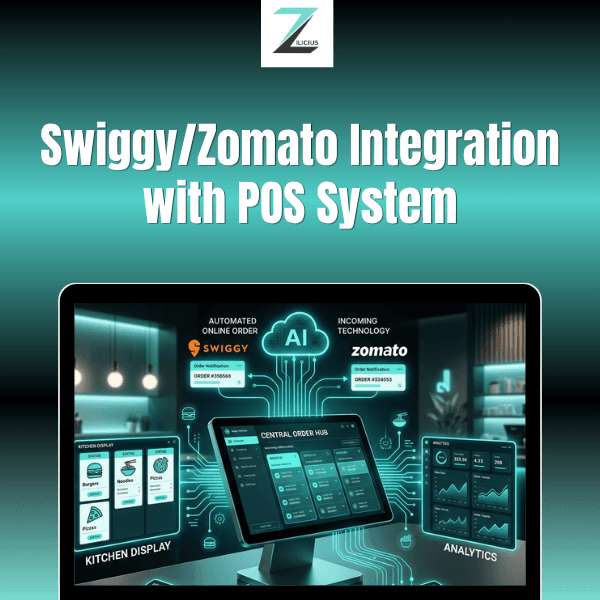
With Zilicius, your Swiggy orders, Zomato orders, dine-in tables, and takeaway counter all live inside a single interface. Your billing staff never needs to toggle between apps or tablets. Every incoming order — regardless of source — appears in the same order queue and flows to the kitchen as a unified KOT.
Zilicius also functions as an advanced Online Order Management Software and Food Delivery Management Software, helping restaurants manage all sales channels from a centralized dashboard.
This is not just a convenience feature. It directly reduces error rates, speeds up kitchen throughput, and gives your front-of-house staff the clarity they need during peak hours.
Real-Time Menu Sync Across Platforms
Menu management is where restaurants lose the most time and money in the absence of integration. With Zilicius, you maintain your master menu in one place. When you mark an item as unavailable at 8 PM because you have run out of stock, that change reflects on your Swiggy listing and your Zomato listing within seconds — automatically.
The same applies to pricing updates, new item additions, seasonal specials, and add-on modifications. You make the change once. Zilicius handles the rest.
Centralised KOT for the Kitchen
Your kitchen does not care where an order came from. It needs clarity, speed, and accuracy. Zilicius consolidates all incoming orders into a single KOT stream, with clear source labels (Swiggy, Zomato, Dine-In, Takeaway) so the team always knows the context without any ambiguity.
Its integrated Kitchen Order Management System improves preparation speed, order accuracy, and kitchen productivity during peak service hours.
Unified Sales Reports and Commission Tracking
At the end of the day, you need to know exactly how much you earned — and from where. Zilicius generates detailed reports that break down revenue by channel, show item-level performance across platforms, and track aggregator commission deductions so you always have a clear picture of your net realisations from each delivery partner.
For multi-outlet operations, Zilicius also provides branch-level and group-level reporting, making it easy to compare outlet performance across your Swiggy and Zomato channels. As a scalable Multi Outlet Restaurant Software, Zilicius helps restaurant brands monitor sales, orders, inventory, and performance across multiple locations from one platform.
ONDC-Ready for the Next Wave
Beyond Swiggy and Zomato, the Open Network for Digital Commerce (ONDC) is emerging as a third major online food delivery channel in India. Zilicius is built with ONDC integration readiness, meaning your restaurant management software will grow with the market rather than requiring a new system in two years.
Fast Setup, Minimal Disruption
Zilicius connects to Swiggy and Zomato using the official aggregator APIs. The onboarding process requires your restaurant's aggregator merchant credentials and typically goes live within a day. You do not need a dedicated IT resource. The Zilicius support team walks you through the setup and helps you test the integration before going live.
Why Zilicius Is More Than Just POS Integration
While Swiggy and Zomato integration is essential for modern restaurants, businesses also need inventory management, kitchen automation, menu synchronization, reporting, and multi-channel order management.
Zilicius combines Restaurant POS Software, Restaurant ERP Software, Food Delivery Management Software, Online Order Management Software, Cloud Kitchen Management Software, and Restaurant Automation Software into a single platform designed for modern restaurant operations.
Whether managing a standalone restaurant, cloud kitchen, or multi-location restaurant chain, Zilicius helps streamline workflows, improve visibility, and support scalable growth.
Step-by-Step: Setting Up Swiggy & Zomato Integration on Zilicius
Here is a simplified overview of the integration process for new Zilicius users:
Step 1 — Get your aggregator credentials.
Log into your Swiggy Partner Dashboard and Zomato Restaurant Partner portal. Locate your Outlet ID and API access keys. If you do not have API access yet, contact your Swiggy and Zomato account managers to request it.
Step 2 — Add your outlet in Zilicius.
et up your restaurant outlet(s) in Zilicius with correct address, GST details, and operating hours. For multi-location restaurants, each outlet is set up separately.
Step 3 — Connect aggregator accounts.
In the Zilicius integrations panel, select Swiggy and Zomato and enter the corresponding merchant IDs and API keys. Zilicius verifies the connection in real time.
Step 4 — Sync your menu.
Upload or build your master menu in Zilicius. Use the menu sync function to push it live to both platforms. Review the mapping to ensure category names and item names align correctly.
Step 5 — Test with a live order.
Place a test order on each platform and confirm it appears correctly in the Zilicius dashboard and prints on your KOT printer. Check that the order status updates flow back to the platform.
Step 6 — Go live.
Once the test is confirmed, your integration is live. All future orders from Swiggy and Zomato flow directly into Zilicius without any manual intervention.
Common Mistakes Restaurants Make With Aggregator Integration
Even with a good POS system, restaurants can create problems for themselves during and after setup. Here are the most common pitfalls to avoid:
Keeping separate menus on each platform.
The whole point of integration is a single master menu. If you continue manually updating Swiggy and Zomato separately, you will create inconsistencies and lose the time savings.
Not mapping add-ons and modifiers correctly.
Many restaurants focus on getting their main items mapped and overlook add-ons, toppings, and variants. These mismatches lead to incorrect orders and bad customer experiences.
Ignoring commission reports.
Your gross sales on Swiggy and Zomato look impressive. Your net revenue after commission looks different. Use Zilicius's reporting to track net realisations from day one so your pricing accounts for platform fees.
Skipping the test order phase.
Always test before going live. A silent integration failure means real customer orders are getting dropped without anyone noticing.
The Growing Need for Restaurant Automation
As online food delivery continues to grow, restaurants are increasingly adopting integrated technology solutions to improve operational efficiency. Businesses that automate order management, inventory tracking, and kitchen workflows often experience faster service, fewer errors, and better visibility into overall performance.
This trend is driving demand for modern Restaurant POS Software and Restaurant Management Software that can manage both online and offline operations from a single platform.
The Bottom Line: Integration Is No Longer Optional
In 2026, a restaurant operating Swiggy and Zomato channels without POS integration is fighting with one hand tied behind its back. Manual order entry, disconnected menus, and fragmented reporting are not just inefficiencies — they are competitive disadvantages in a market where speed and accuracy directly affect ratings, reviews, and repeat orders.
Modern Restaurant Automation Software and Cloud Kitchen Management Software solutions help restaurants eliminate manual processes, improve operational efficiency, and deliver a more consistent customer experience.
Zilicius gives Indian restaurants and cloud kitchens the infrastructure to run Swiggy, Zomato, dine-in, and takeaway as one unified operation — from a single dashboard, with real-time sync, centralised kitchen management, and the analytics to make smarter business decisions.
If your restaurant is ready to stop juggling tabs and start running a connected operation, Zilicius is built for exactly that.
Frequently Asked Questions
Can Swiggy and Zomato be integrated with any POS system?
Most modern restaurant POS systems support integration, but the depth of integration varies by provider.
How long does POS integration take?
With platforms like Zilicius, integration can typically be completed within a day once merchant credentials are available.
Does POS integration update inventory automatically?
Yes. Integrated systems can automatically deduct inventory when orders are processed.
Can I manage multiple outlets from one dashboard?
Yes. Zilicius provides centralized management for multiple restaurant locations.
Is POS integration useful for cloud kitchens?
Absolutely. Cloud kitchens benefit significantly from centralized order management and automated workflows.
Can Zilicius sync menus across Swiggy and Zomato?
Yes. Menu updates can be managed from a single dashboard and synchronized across connected platforms.
Does POS integration improve order accuracy?
Yes. Automated order transfer reduces manual entry errors and improves operational efficiency.
Ready to Simplify Swiggy and Zomato Order Management?
With Zilicius Restaurant POS Software, restaurants can automate order processing, inventory tracking, billing, reporting, and kitchen workflows from one centralized platform.
Manage Swiggy and Zomato orders automatically
Improve kitchen efficiency
Track inventory in real time
Reduce operational costs
Scale across multiple outlets
Book a Free Demo and discover how Zilicius transforms restaurant operations.
Ready to integrate Swiggy and Zomato with your POS? Book a free demo with Zilicius today and see how multi-channel order management looks when everything actually works together.
Also Read
POS Integration with Swiggy and Zomato: Complete Guide for Restaurants (2026)