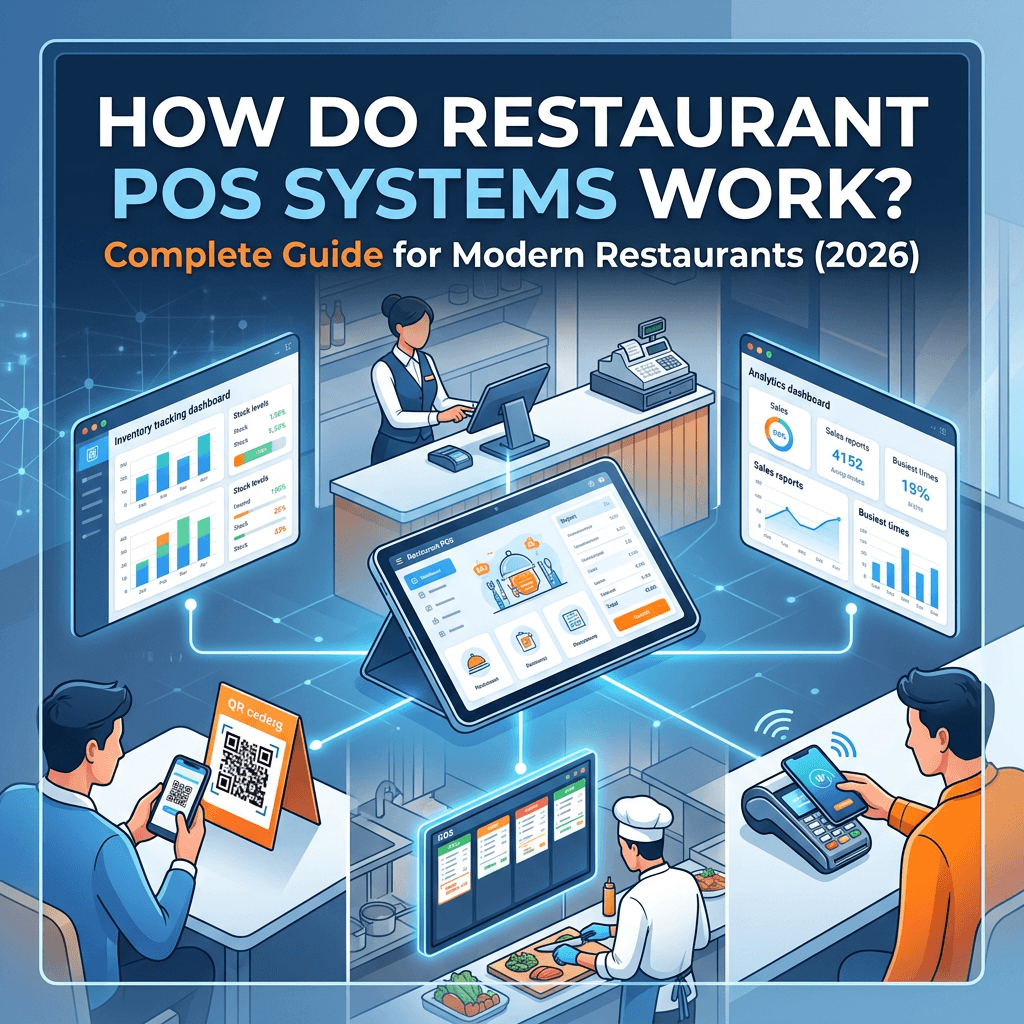

By Zilicius
Introduction: The Heart of Every Modern Restaurant
Every day, thousands of restaurant owners face the same challenges: slow billing, confused kitchen staff, lost orders, inventory wastage, and frustrated customers who wait too long for their food. The solution to all these problems lies in one powerful technology—the Restaurant POS System.
A POS (Point-of-Sale) system is more than just a cash register. It's the central hub for managing orders, inventory, payments, kitchen operations, and customer relationships. In today's digital age, modern restaurant POS systems like Zilicius have transformed from simple billing tools into comprehensive business management platforms that handle everything from table booking to finance tracking.
In fact, restaurants using advanced cloud POS systems report significantly higher efficiency, better customer retention, and reduced operational losses compared to traditional manual systems.
According to industry research, restaurants using advanced POS systems see 25-40% profit increases within 6 months, 40% faster service times, and 90% reduction in order errors. But how exactly do these systems work? And why is choosing the right POS critical for your restaurant's success?
In this comprehensive guide, we'll break down everything you need to know about restaurant POS systems—how they work, what features matter most, and why Zilicius stands out as the complete restaurant management ecosystem for modern businesses in India and beyond.
What is a Restaurant POS System?
The Simple Definition
A restaurant POS system is a digital platform that allows staff to take orders, send them to the kitchen, accept payments, and track business data in real time. Most modern POS systems are cloud-based and accessible from tablets or terminals across the restaurant.
The Evolution: From Cash Registers to Smart Ecosystems
Traditional cash registers only handled payments. Today's POS systems like Zilicius integrate:
Order management (dine-in, takeaway, delivery)
Kitchen Display Systems (KDS) for paperless operations
Inventory tracking with auto-deduction
Table management and reservation scheduling
Multi-payment processing (cash, card, UPI, QR, wallets)
GST-compliant billing with digital invoices
Staff management and performance tracking
Real-time analytics and reporting
Multi-outlet control for restaurant chains
This evolution has turned POS systems into the "business brain" of every modern restaurant.
How Does a Restaurant POS System Work? Step-by-Step
Understanding the technical workflow is crucial for restaurant owners. Here's how a complete POS system like Zilicius operates from order to billing:
Step 1: Login and User Profile Setup
Each employee gets a unique login for tracking orders and sales. Most systems allow customized permissions:
Servers/Captains: Can take orders, apply discounts
Managers: Can void items, view reports, manage staff
Kitchen Staff: Can update cooking status only
Owners: Full access to all data and settings
This ensures security and accountability across your team.
Step 2: Table and Floor Plan Configuration
The POS interface creates a digital layout of your restaurant:
Table numbers and zones
Seat capacity per table
Reservation status (available, occupied, waiting)
Zone-wise layout
Example: During peak hours, managers can instantly see which tables are free without physically checking each section.
This helps servers assign and manage orders more easily while giving managers instant visibility into occupancy.
Step 3: Menu Input and Customization
Upload your complete menu with:
Item names and descriptions
Prices and taxes (GST automatically applied)
Customizations (spicy, extra cheese, no onion)
Combos & offers
Category organization (starters, mains, desserts, beverages)
Zilicius goes further with recipe management, linking each dish to raw materials for automatic inventory deduction.
Step 4: Order Taking and Kitchen Integration
When customers place an order:
Server taps items on their POS device (tablet, terminal, or phone)
Order automatically sends to the Kitchen Display System (KDS)
Kitchen sees real-time order with priority and due time
Cooking status updates live (Starting → In Progress → Ready)
Server notified when food is ready for serving
This eliminates paper tickets, lost orders, and communication gaps between front and back of house.
Step 5: Payment Processing
POS systems support multiple payment methods:
Credit/debit cards (chip, swipe, tap)
Mobile wallets (Apple Pay, Google Pay, Paytm)
UPI payments (QR scan)
Cash with digital tracking
Split bills or multiple payments per transaction
Loyalty discounts and offer applications
Receipts can be printed or sent via email/SMS/WhatsApp, with full GST compliance automatically applied.
Step 6: Inventory Auto-Deduction
Every billed order automatically deducts raw materials:
1 Chicken Curry = 250g chicken + 50g spices + 30ml oil
System updates stock levels in real-time
Low stock alerts trigger when items reach minimum thresholds
Wastage tracking for spoiled or damaged items
This prevents overstocking, running out of key ingredients, and provides accurate cost-per-dish calculations.
Step 7: Reporting and Analytics
The POS records every transaction aspect and generates:
Sales analytics (daily, weekly, monthly)
Profit & loss reports
Outlet performance comparisons
Customer analytics (frequency, average bill, preferences)
GST/tax reports for compliance
Inventory reports (fast-moving vs. dead stock)
Staff performance metrics
All data is accessible via centralized dashboard for remote business management.
Key Features Every Restaurant POS System Should Have
Not all POS systems are equal. Here are the essential features that modern restaurants need:
1. Fast & Smart Billing
Fast billing under 30 seconds
Multiple payment modes in one transaction
Automatic discount and offer calculations
GST-compliant invoices with item-wise tax breakdown
2. Kitchen Display System (KDS)
Real-time order display on kitchen screens
Paperless operations eliminating lost tickets
Multiple station routing (grill, curry, bar, desserts)
Live cooking status updates
Priority handling for VIP orders
Sound alerts for new and overdue orders
3. Inventory Management
Real-time stock tracking
Recipe-based auto-deduction
Low stock alerts via SMS/email
Supplier and vendor management
Wastage monitoring
Multi-store inventory control
Stock reports and analytics
4. Table Management
Visual table map with availability status
Reservation scheduling
Waitlist management
Table merge/split options
QR menu access for customers
Occupancy tracking
5. Order Management
Dine-in, takeaway, and delivery handling
Multi-device order taking (phone, tablet, terminal)
Order modification tracking
Real-time status updates
Customer order notes (special requests)
Kitchen synchronization
6. Multi-Outlet Control
Centralized dashboard for all locations
Outlet-wise sales reports
Unified menu management
Inter-outlet inventory transfer
Branch performance analysis
Role-based outlet access
7. GST Billing Support
Automatic GST calculation
HSN code integration
Tax slab compliance
Item-wise tax breakdown
GST report export for accountants
8. Digital Invoice Generation
QR code billing
SMS/email/WhatsApp invoice delivery
Print and eBill receipts
Contactless payment options
9. Reports & Analytics
Real-time dashboard
Sales analytics
Profit & loss statements
Customer behavior insights
Outlet performance reports
Expense tracking
10. Staff & HR Management
User role management
Attendance tracking
Performance monitoring
Payroll integration
Training modules
Why Zilicius is the Complete Restaurant POS Solution
While many POS systems focus only on billing, Zilicius stands out as a comprehensive restaurant management ecosystem with 16 integrated modules:
16 Modules, One System
POS Billing Management – Fast, GST-compliant billing with multiple payment modes
Kitchen Display System (KDS) – Paperless, real-time kitchen operations
Inventory Management – Auto stock deduction, recipe management, wastage tracking
Reservation Management – Table booking, scheduling, waitlist, auto-reminders
Multi-Outlet Management – Centralized control for restaurant chains
Order Management – Dine-in, takeaway, delivery in one system
Centralized Management System – Remote business control from anywhere
Table-Wise Order Taking – QR menu, captain app, live kitchen status
Purchase Management – Vendor management, price comparison, budget control
Order Status Display (OSD) – Live tracking for customers and staff
Event Management – Party booking, guest management, event billing
Table Management – Allocation, merge/split, occupancy tracking
Reports & Analytics – Real-time dashboards, sales, P&L, GST reports
Finance Management – Income/expense, accounts, tax, budgeting
Admin Panel – Full administration control and security
HR Management – Staff management, attendance, payroll
Zilicius is an all-in-one cloud-based restaurant ERP designed for restaurants, cafes, cloud kitchens, and multi-outlet chains to streamline operations and maximize profitability.
What Makes Zilicius Different?
Feature | Traditional POS | Zilicius |
Modules | Billing only | 16 integrated modules |
Kitchen Integration | Paper tickets | Digital KDS |
Inventory | Manual tracking | Auto-deduction |
Multi-Outlet | Separate systems | Centralized dashboard |
GST Billing | Manual calculation | 100% automatic |
Remote Access | Limited | Full remote control |
Price | ₹15,000-₹50,000 | Cost-effective SaaS |
Support | Basic | 24/7 priority |
Proven Results
Restaurants using Zilicius report:
10x faster billing (30 seconds vs. 5 minutes)
40% faster order-to-service time
10% revenue saved from reduced wastage
90% reduction in order errors
40% fewer reservation cancellations
25-40% profit increase in 6 months
Hardware Requirements for Restaurant POS Systems
Modern POS systems like Zilicius work with flexible hardware:
Essential Hardware
POS Terminal/Tablet – Android tablets, iOS devices, or Windows terminals
Receipt Printer – Thermal printers for physical receipts
Card Reader – For credit/debit card payments
QR Code Stand – For UPI/mobile payments
Kitchen Display Screens – Tablets or monitors for KDS
Barcode Scanner – Optional for inventory
Zilicius Advantage
Cloud-based – Works on any device (phone, tablet, laptop)
No expensive hardware – Use existing smartphones/tablets
Multi-device sync – Order from captain phone, POS terminal, or kiosk
Offline mode – Continues working during internet issues
Cloud-Based vs. On-Premise POS: Which is Better?
Cloud-Based POS (Like Zilicius)
Pros:
Access from anywhere (phone, tablet, laptop)
Automatic updates and backups
Lower upfront cost (SaaS subscription)
Real-time data sync across outlets
No server maintenance needed
Scalable for growing businesses
Cons:
Requires internet connection (offline mode available)
Monthly subscription fees
On-Premise POS
Pros:
No internet dependency
One-time purchase cost
Cons:
High upfront investment (₹50,000-₹200,000)
Manual updates and backups
No remote access
Server maintenance required
Difficult to scale
Why Cloud is Better for Modern Restaurants
95% of new POS systems are now cloud-based because they offer:
Remote management – Monitor sales from home
Automatic compliance – GST updates handled by vendor
Data security – Cloud backups prevent loss
Lower cost – SaaS model vs. expensive hardware
Integration – Connects with delivery apps, payment gateways
Zilicius is 100% cloud-based, giving you complete control from anywhere in the world.
How POS Systems Improve Restaurant Operations
1. Speed and Efficiency
30-second billing vs. 5-minute manual billing
Instant kitchen order delivery (2 seconds vs. 8 minutes)
50% more orders during peak hours
30% less staff stress
2. Accuracy and Error Reduction
90% fewer order errors
Zero double-bookings
Automatic GST calculation (100% compliance)
No manual math mistakes
3. Cost Savings
10% revenue saved from reduced wastage
20% less overstocking
30% faster procurement decisions
20% cost savings from inventory sharing (multi-outlet)
4. Customer Experience
40% fewer cancellations with auto-reminders
25% more repeat customers from personalized service
Contactless QR billing
Live order tracking
Faster service times
5. Business Intelligence
Real-time sales visibility
Customer behavior analytics
Outlet performance comparisons
Profitability per dish
Data-driven menu decisions
Common POS System Mistakes to Avoid
1. Choosing Billing-Only Systems
Many restaurants buy basic POS systems that only handle payments. You need integrated inventory, kitchen, and analytics.
Solution: Choose Zilicius with 16 modules.
2. Ignoring Training
Poor staff training leads to errors and delays during busy hours.
Solution: Zilicius provides free staff training and on-screen tutorials.
3. Not Testing Before Full Deployment
Launching without testing causes operational chaos.
Solution: Create practice accounts for mock orders before full rollout.
4. Overlooking Multi-Outlet Needs
Single-outlet POS won't work for restaurant chains.
Solution: Zilicius offers centralized multi-outlet control.
5. Skipping GST Compliance
Manual GST calculation leads to filing errors and penalties.
Solution: Zilicius automatically generates 100% GST-compliant bills.
POS System Pricing: What to Expect
Traditional POS Costs
Hardware: ₹50,000-₹200,000
Software: ₹15,000-₹50,000 (one-time)
Maintenance: ₹10,000-₹30,000/year
Total upfront: ₹75,000-₹280,000
Zilicius SaaS Model
No hardware investment (use existing devices)
Monthly/annual subscription
Free setup and training included
24/7 support included
All 16 modules included
Total cost: 60-70% less than traditional POS
ROI Timeline
Most restaurants see ROI within 2-3 months due to:
Faster billing = more customers
Reduced wastage = saved revenue
Better inventory = lower costs
Improved service = more repeats
FAQ: Restaurant POS Systems
Q1: What is the difference between a POS and an ordering system?
A POS system handles payments, receipts, inventory, and reporting—the full "business brain." An ordering system is just for taking orders (via QR codes, kiosks, or staff screens) and typically feeds into the POS.
Q2: Do POS systems automatically update inventory?
Yes! Modern POS systems like Zilicius include inventory management that automatically updates ingredient levels based on sales, helping you avoid running out of key items.
Q3: Is GST billing automatic in POS systems?
Yes. Zilicius automatically calculates GST, applies correct tax slabs, and generates GST-compliant invoices with item-wise breakdown.
Q4: Can I manage multiple outlets with one POS?
Absolutely. Zilicius offers centralized multi-outlet control with unified menus, inventory transfer, and outlet-wise performance analytics.
Q5: What happens if internet goes down?
Zilicius has offline mode that continues working during internet issues, with automatic sync when connection restores.
Q6: How long does staff training take?
Most staff learn Zilicius in 2-4 hours with free training, practice accounts, and on-screen tutorials.
Q7: Can customers pay via UPI/QR?
Yes. Zilicius supports all payment modes including UPI QR, cash, card, wallets, and split payments.
Q8: Can POS work offline?
Yes, most cloud POS systems include offline mode with auto-sync.
Q9: Is POS useful for small restaurants?
Yes, even small restaurants benefit from faster billing and better control.
Start Your Free Trial Today
Ready to transform your restaurant operations?
Zilicius offers a FREE 2-day trial—no credit card required.
What You Get:
✅ Full access to all 16 modules
✅ Free setup assistance
✅ Free staff training for your team
✅ 24/7 priority support
✅ Cloud-based, works on any device
🚀 Start Free Now:
Work smarter. Profit bigger. Scale faster.
Also Read
Best POS Software for Restaurants in India (Comparison 2026)